
Send Email#
Send an email using the SMTP protocol.
Important: requires the use of a special password designed for interaction with external applications. To set it up, go to your email settings, section "Security" → "App passwords". Enable the "Use app passwords" option and select "IMAP, POP3, SMTP Mail". Then specify the required secure connection and enter a unique password — it will no longer be displayed and will ensure secure interaction with external services.
Example for Yandex Mail:
- Go to "Settings" → "All settings" → "Security":
.png)
- Click on the "app passwords" link, enable "Use app passwords":
.png)
- Click the "+" icon to the right of the "IMAP, POP3, SMTP Mail" line:
.png)
- Enter the password name:
.png)
- Copy and save the password for external services:
.png)
Example for Mail:
Go to the "Password and security" section:
.png)
Select the "External services" subsection:
.png)
Enable "Access to Mail via IMAP, POP, and SMTP":
.png)
- Click the "< Back" button and go to the "Passwords for external applications" subsection:
.png)
- Click the "Create" button:
.png)
- Enter the password name:
.png)
- Select the protocol type and click the "Continue" button:
.png)
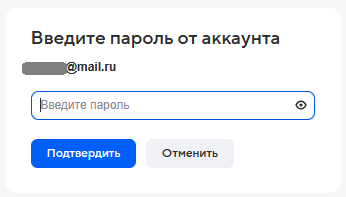
- Enter the password for external services, save it, and click the "Confirm" button:
| Server | [Text] Server (e.g., "smtp.mail.ru"). |
| Port | [Number] Port. If not specified, the default port is accepted:
|
| Login | [Text] Login required for server authorization. |
| Password | [Text/SecureString] Password required for server authorization. |
| SSL | Indicates whether to use a secure connection. |
| Sender's Email | [Text] The email from which the message will be sent. |
| Sender's Name | [Text] The name of the sender from whom the message will be sent. |
| Recipient's Email | [Text] The email address of the recipient to whom the message needs to be sent. To specify multiple recipients, separate them with a semicolon. |
| Email Subject | [Text] The subject of the email. |
| Email Body | [Text] The content of the email. |
| HTML Markup | If checked, the email content will be sent as an HTML page and may contain tags. |
| Attachments | [Text/List/Dictionary] Path to the file / List of file paths / Dictionary with files to be attached to the email (key - name, value - path to the file). |
| Timeout | [Number] Timeout for server response. The value is specified in seconds. |
| CC | [Text] Email address of the recipient to receive a copy of the email. To specify multiple recipients, separate them with a semicolon. |
| BCC | [Text] Email address of the recipient to receive a blind copy of the email. To specify multiple recipients, separate them with a semicolon. |
| Sent Email | [Object] The sent email. Can be used in the "Save to Sent" block. |
| Error Handling Level | Select the error handling level. Possible values:
If "Default" is selected, the value from the "Start" block of this diagram will be used. |
| Message Level | Select the message level that blocks will output during operation. Possible values:
If "Default" is selected, the value from the "Start" block of this diagram will be used. |
| Error Message | [Text] Returns detailed information about the error in case of incorrect execution of the block's work. |