
Users#
Users are created within an Account. Each User is assigned a specific Role on the “Roles” screen, which must be done before creating the User on the “Users” screen. A User can be assigned a specific Role or multiple Roles.
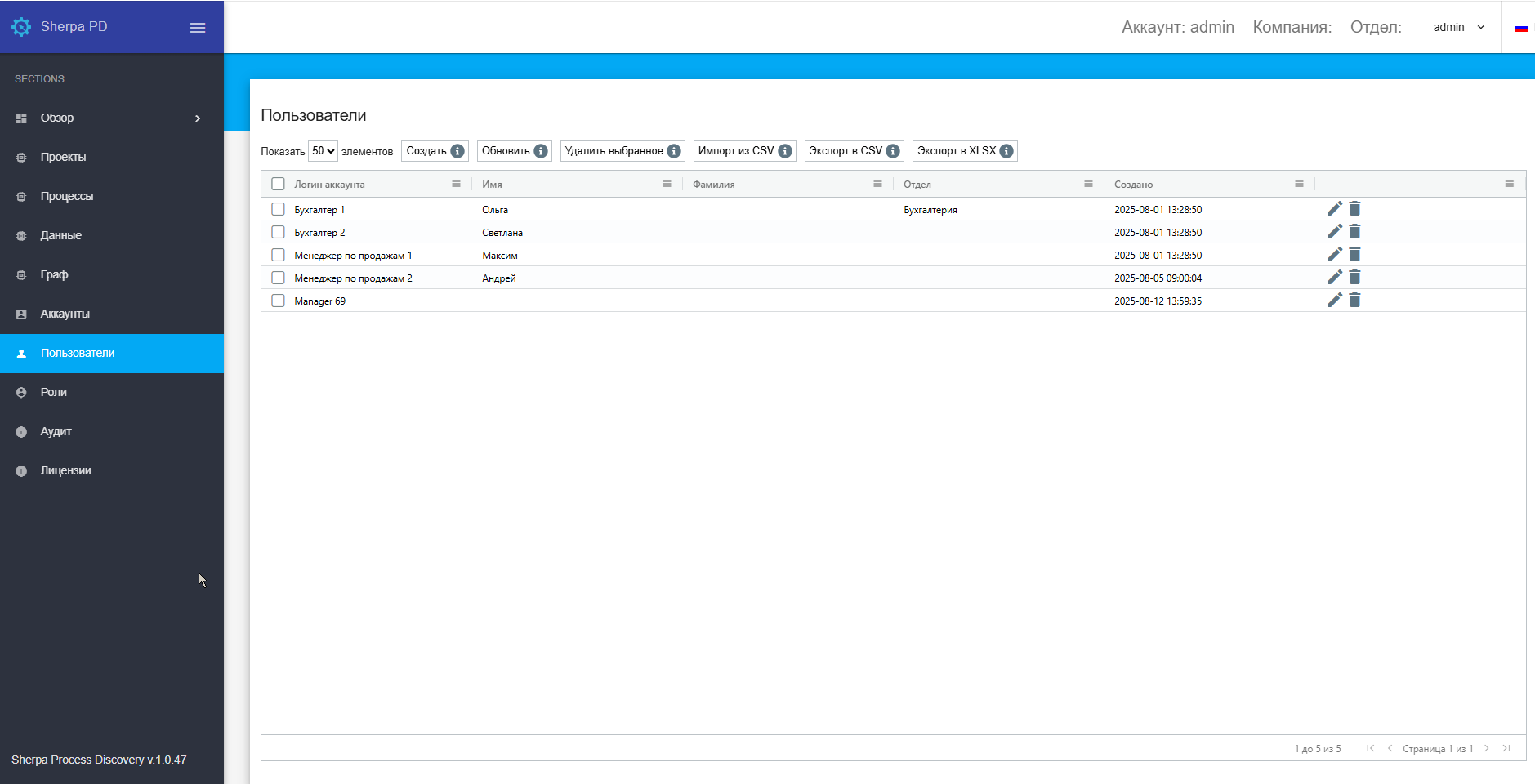
The Users screen contains the “Users” table:
Creating a New User#
To create a new User, you need to click the “Create” button in the “Users” table and fill out the opened form.
 | When creating and/or editing a User, the authentication method to be used for them must be specified. |
The new User creation form offers three authentication options, from which you can select the desired one by setting a flag:
- Local authentication;
- LDAP authentication;
- OpenID authentication.
Editing a Previously Created User#
To view and edit the properties of a specific User, you need to select them from the list and click the icon  . After that, a form with User settings will open, where you can make the necessary changes. There are no new fields in the previously created User.