
"Registration" Tab#
The "Registration" tab in the Sherpa Assistant settings window has two views, depending on whether you have a License activated or not.
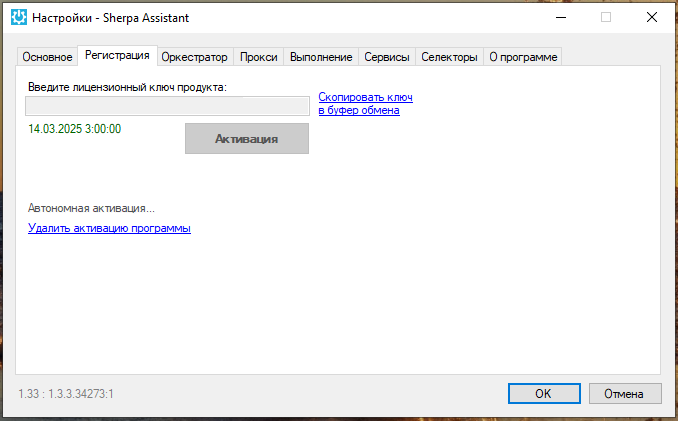
| No. | Interface Element | Description |
| 1. | field "Enter product license key" | A field for entering the product license key. |
| 2. | Date and Time | If you have already activated the product license key, the expiration date and time of the license will be displayed below the field for entering the license key. |
| 3. | "Copy key to clipboard" | Allows you to copy the product license key to the clipboard. |
| 4. | button "Activate" | Allows you to activate the product license key. |
| 5. | "Offline activation" | Allows you to proceed to offline license activation. |
| 6. | "Remove program activation" | Allows you to remove the program activation. |