
Version 2.3.0#
A new release of Sherpa AI Server: Version 2.3.0.
1. Updated API#
The Sherpa AI Server API has been updated: the main methods have been migrated to the current /api/v1/ format.
This is important for integrations and external systems that access Sherpa AI Server directly.
The current API documentation is available in Swagger:
2. Enhanced Audit Details#
The Audit screen now displays a "Changes" field in the record card. It shows which entity fields were changed, as well as the old and new values.
.png)
Change data is also available via API in the "diff" field for audit records, for example in the request: GET /api/v1/audits/{audit_guid}.
This helps administrators quickly understand which settings or data have been changed.
3. Extended File Type Support for Indexing #
Indexing now supports more document and text file formats, including .pdf, docx, .odt, .pptx, .ppt, .rtf, .epub, .html, .md, .csv, .json, .xml, .yaml, .toml, logs, configuration files, and source code files.
This helps users add more work materials without prior manual conversion to text format.
4. Assistant Response Ratings#
Rating buttons have appeared under Assistant responses on the Chat screen: "Like" and "Dislike".
.png)
If you are logged in under an account without an associated user, ratings are not displayed.
Users can rate the Assistant's response and add a comment if necessary. When clicking "Like" or "Dislike", a window opens with a corresponding comment field.
.png)
After saving, the selected rating is highlighted in blue under the Assistant's response.
.png)
Saved ratings can be viewed on the Chat History screen. A column with message rating statistics has appeared in the history table: number of likes, number of dislikes, total number of ratings, and percentage of positive ratings.
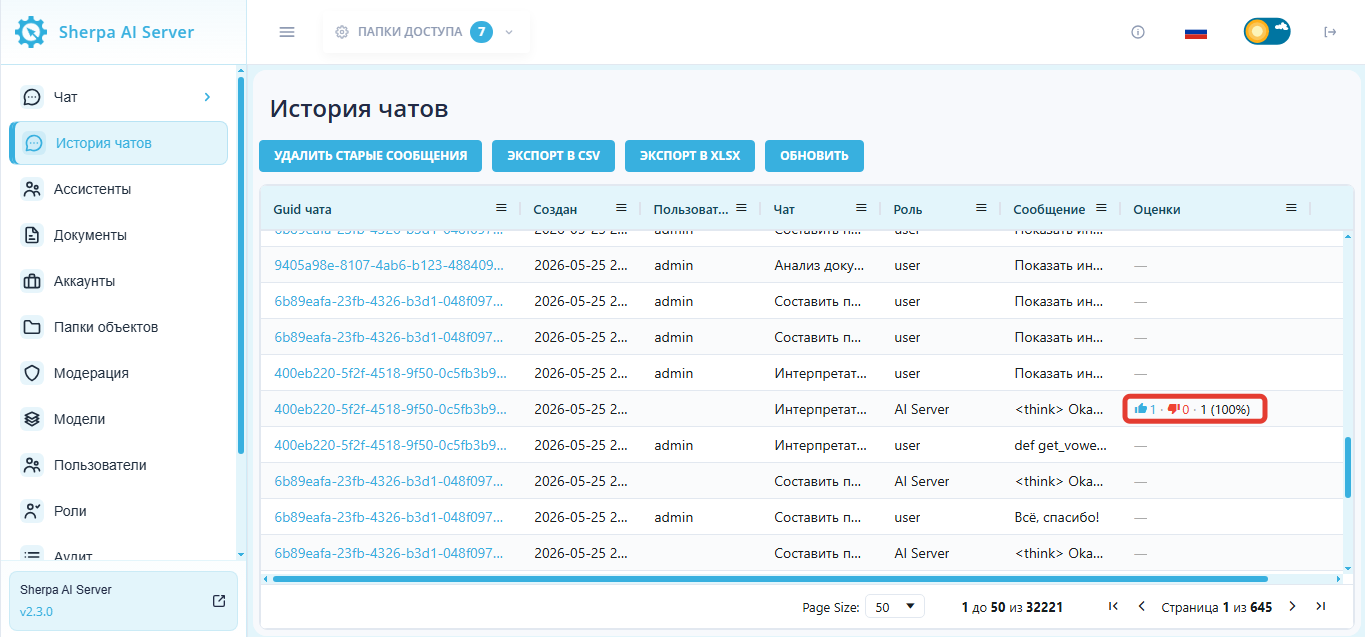
A detailed list of ratings is available in the "Show Message" popup window, which opens after clicking the message view button (with the magnifying glass icon).
.png)
The opened dialog displays message information, and below it is a table of ratings. The rating type is shown with a "Like" or "Dislike" icon, with the comment and creation date displayed next to it.
Ratings are also available via API:
- Create an Assistant response rating:
POST /api/v1/messages/{message_guid}/ratings
Request example:
{
  "type": "like",
  "comment": "The answer is helpful and accurate"
}
- Get the list of ratings for a message:
GET /api/v1/messages/{message_guid}/ratings
Request example:
GET /api/v1/messages/7f6f1e8a-2d9c-4f6a-9c7e-123456789abc/ratings?pagination[per_page]=100
In the rating creation request, the "type" field is passed with the value "like" for a like or "dislike" for a dislike.
The API returns a list of ratings with the rating type, comment, and creation date.
Filtering by rating type, sorting, and pagination are also available.
5. Response Processing Indicator#
A "Thinking…" indicator has appeared in the chat. It is displayed in the Assistant's response area while Sherpa AI Server processes the user's request and prepares a response.

This helps users understand that the request has been accepted, the system has not frozen, and the response is still being generated. This is especially useful for long requests, working with files, and tasks where processing takes more time.
6. Improved Code Interpreter File Handling#
On the Chat screen in the Code Interpreter, file handling has been improved for files that appear as a result of request execution. Images created by the Code Interpreter are now displayed directly in the chat, without additional opening or manual downloading.
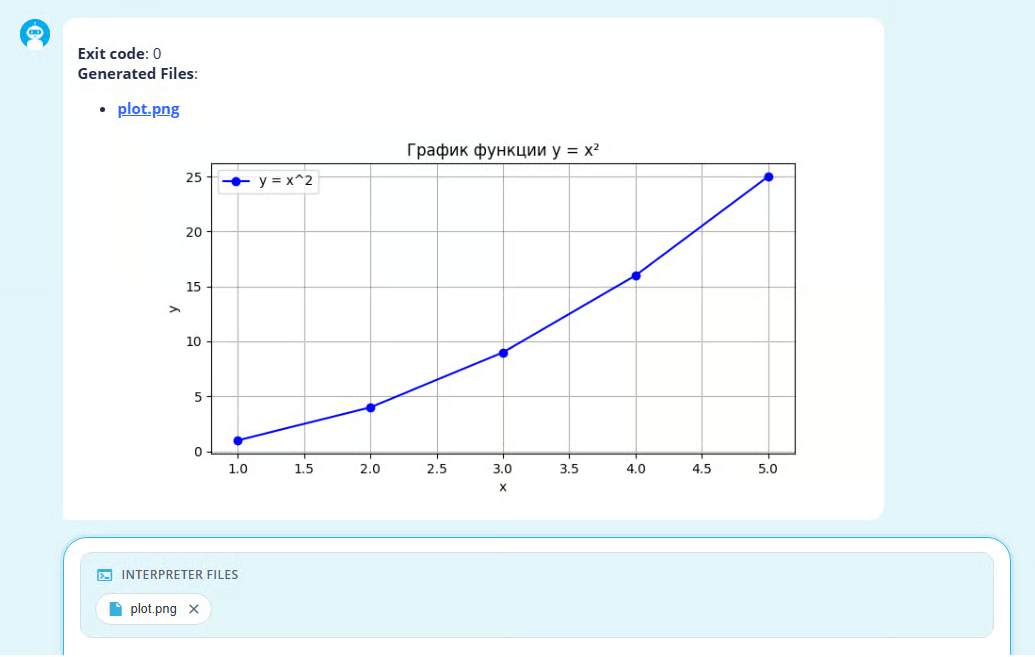
This helps to quickly check the code execution result, such as a graph, diagram, or other image.
The "Download" button for Code Interpreter files now works more reliably. Files are downloaded directly from the browser, without popup blocking.
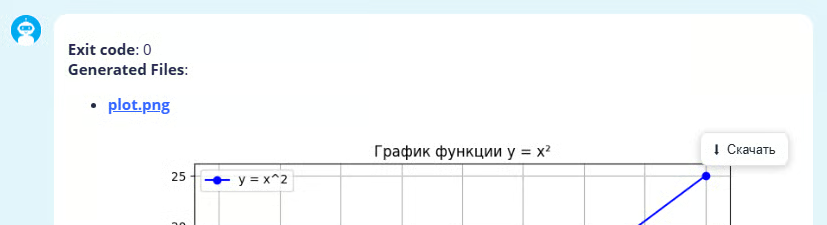
The error that could cause Code Interpreter file downloads to fail with an access denied error has also been fixed. Download links now use the correct route, and Sherpa AI Server correctly determines the file type when downloading: image, table, text file, etc.
7. Time Zone Support#
The API now accepts dates in ISO 8601 format with time zone specification, stores them in a unified format, and returns them taking into account the account's time zone.
This helps to correctly display time in chat history, filters, licenses, runs, and other sections where accurate event time is important. It becomes easier for users and administrators to correlate events if they are working from different time zones.
8. Improved Date Filtering#
On the Chat History screen, the format of values passed in date filters has been updated. Dates are now passed with explicit time zone specification, so filtering works more accurately and does not shift period boundaries.
.png)
This is especially important for tables and reports, where the user selects a period and expects to see all events for the selected date and time.
9. Extended User Data in API#
The user API now returns not only basic user data but also a list of their roles.
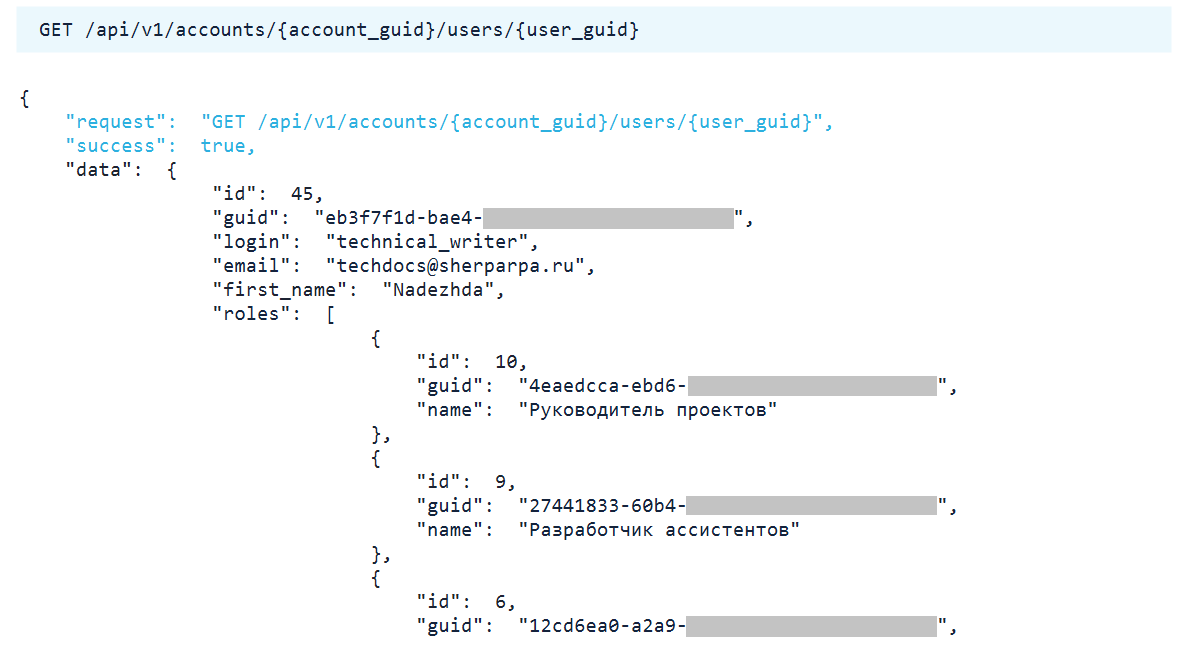
This simplifies integrations and administration: external systems can immediately see which roles are assigned to a user, without additional requests.
10. Refined Access to Accounts#
The logic for accessing Accounts in the API has been updated. Now users can see not only the current Account, but also child (related) Accounts.
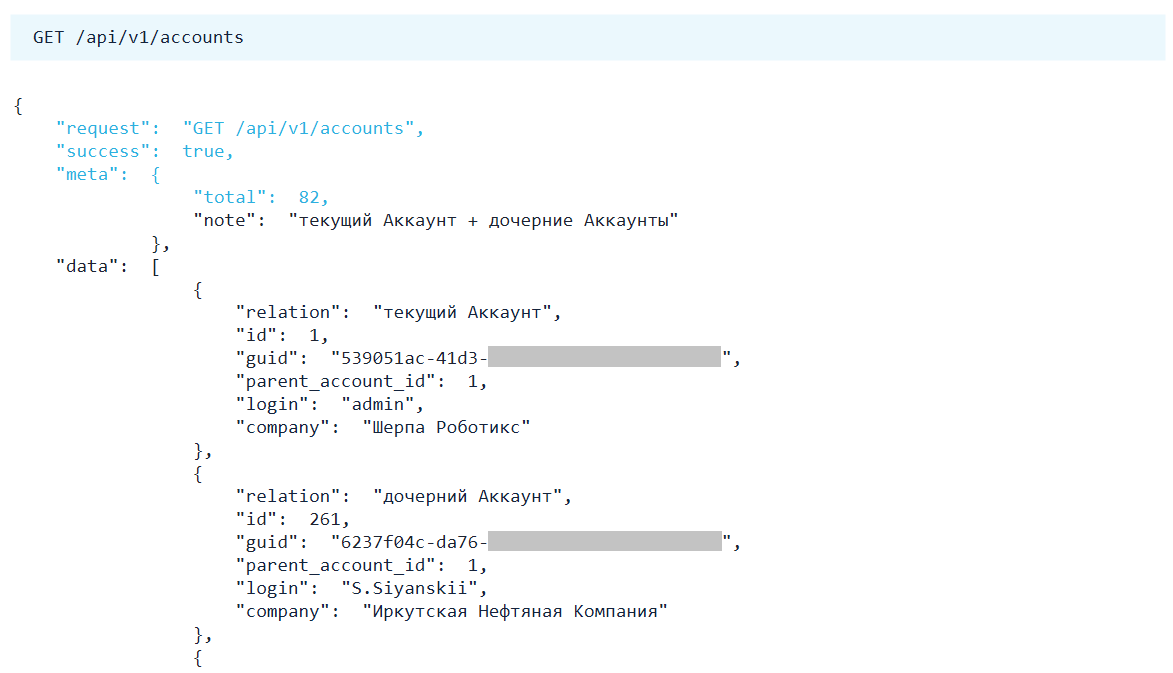
This makes working with Accounts safer and helps to avoid showing users unnecessary data.
11. Improved Required Field Validation#
If a user or external system does not provide a required field, such as login, password, or name, the API now returns a clear data validation error instead of an internal server error.
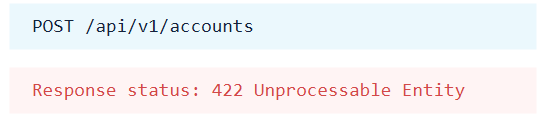
This helps to quickly find the error in the request and fix it without accessing server logs.
12. Improved Chat Interface#
Several interface elements have been updated in the Chat:
- The message input field now automatically expands as text is entered, up to six lines.
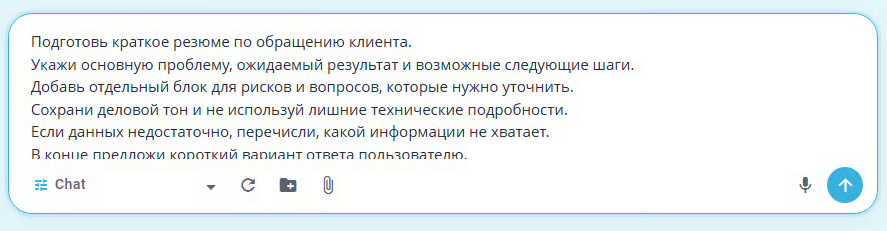
This is convenient for long requests: the user sees more text before sending.
- Action buttons on messages have become more noticeable on hover.
This helps to quickly find "Copy", "Delete", "Edit", and "Download" actions.
13. Updated User Edit Dialog#
On the Users screen in the user edit dialog, unused notification parameters have been removed. LDAP functionality has also been improved: the LDAP user list is now loaded only when the corresponding user type is selected.
.png)
14. Updated Installation and Update Scripts#
The Sherpa AI Server installation and update documentation now includes recommended installation and update methods using ready-made scripts:
install.sh;update.sh.
Startup profiles are listed separately: GPU, GPU2, CPU, Whisper, Reranker, and full profile.
This helps administrators quickly choose the appropriate installation or update option.
15. Updated Docker Image for Python Code Execution#
The distribution now includes automatic building of the Docker image used to execute Python code in code interpreter mode.
Administrators can pre-build or download the ready-made Docker image, transfer it to an isolated environment, and install it without internet access. Build, download, and offline installation scripts have been updated for this purpose.
This simplifies work in isolated environments where Docker images must be pre-built and transferred manually.