
Roles#
Role is a parameter that defines a set of access rights to the screens of Sherpa Process Discovery, as well as functions within the selected screens.
Minimum required rights for User Role:
- Read permission for “Overview”.
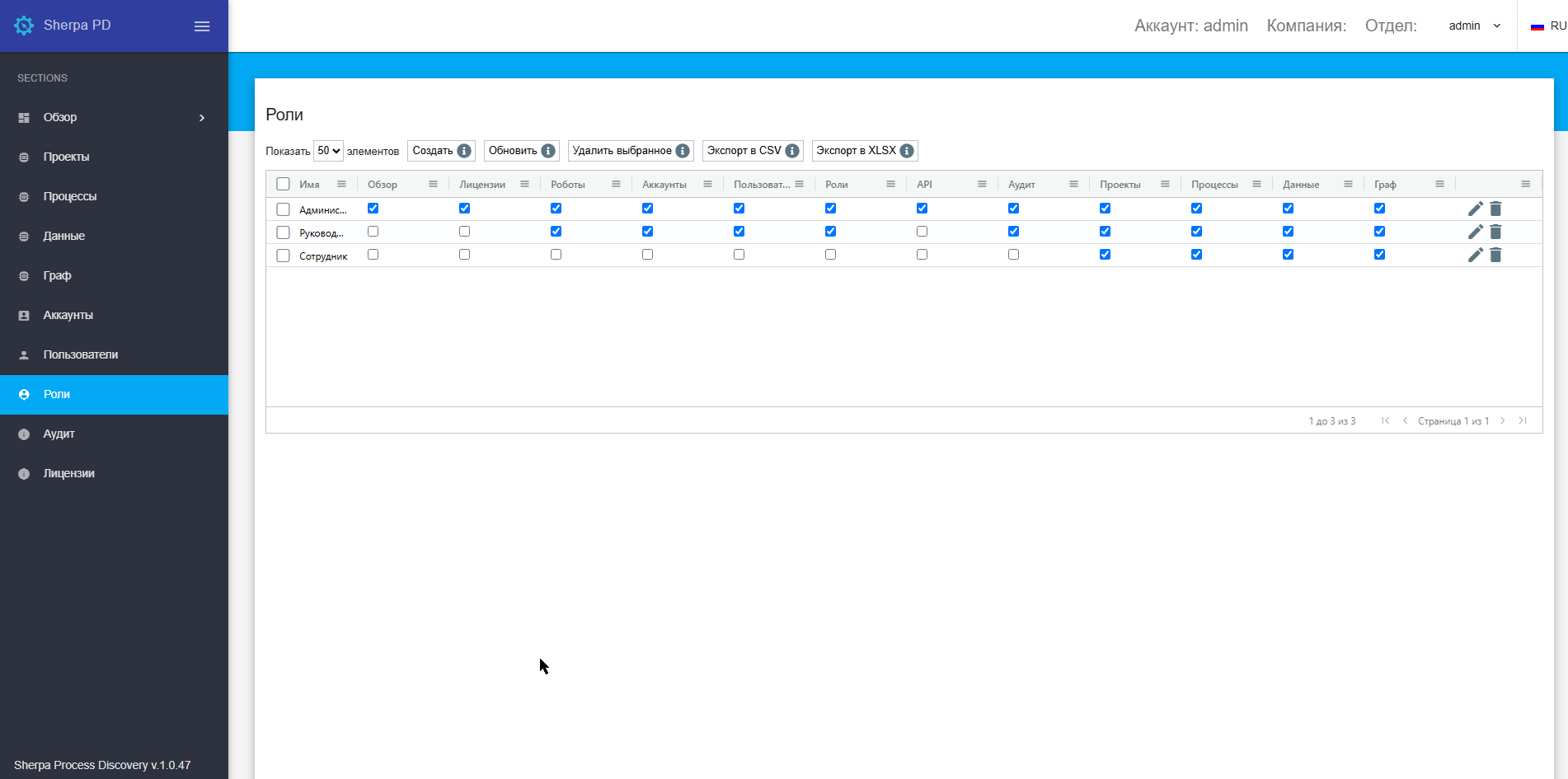
The “Roles” screen contains the “Roles” table:
Creating a New Role#
To create a new Role, you need to click the “Create” button above the “Roles” table and fill out the opened form.
The new Role creation form contains two tabs:
- Basic;
- Access.
Editing a Previously Created Role#
To view and edit a Role, you need to select it from the list and click on the icon  . After that, the Role editing form will open, where you can make the necessary changes. In addition to the fields filled out when creating the Role, the editing form includes the GUID (a unique identifier assigned to the Role after its creation). This field cannot be edited.