
Installing the Native RDP Plugin#
This guide assumes that the Sherpa RPA software is already deployed on the user's workstation in any of the available configurations: developer workstation, Attended robot workstation, or Unattended robot workstation.
On the client computer from which the connection to Citrix will be made, the Sherpa Native RDP Plugin must be installed:
Run Sherpa Assistant as an administrator.
In the system tray (Sherpa icon), select "Plugins".
Choose "Install Native RDP Plugin".
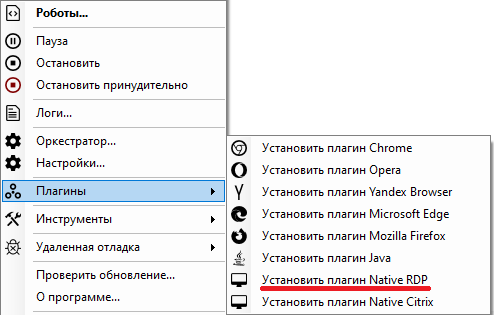
- The plugin installation should only be performed once, after which administrative rights for the plugin to operate are no longer required.
The Native RDP plugin is installed automatically when Runtime is installed.